Just a quick note on FCS (Forefront Client Security – Microsofts antivirus solution), I was in doubt if it would be a good idea to install Windows Defender as an added security to FCS, a quick Googling revealed that;

Answer found on Technet.
Client Security cannot be used to manage Windows Defender – as a matter of fact, Client Security requires that Windows Defender be removed.

Windows Defender can be managed with a Group Policy – please see the last item here: http://www.microsoft.com/athome/security/spyware/software/about/releasenotes.mspx

–Kimborly Ditto-Ehlert

for full post;
http://forums.microsoft.com/ForeFront/ShowPost.aspx?PostID=1277937&SiteID=41

dontkeepit.gif
Just a word of caution in conjunction with my previous description of the online backup service KeepIT.com

I bought this service after a short test of their free 2gb offering, the price seemed fair and they offered unlimited storage space.  Things did not go smoothly though, at first their client software 1.0 was very poor, the client software seemed utterly unstable;

  • VERY slow (up to 10 minutes) when you tried to select what to backup. 
  • It was as good as impossible to tell what had been backuped (logging was very inadequate).
  • Client software would connect and disconnect from the server totally outside your control.
  • And the final nail in the coffin, when you need to restore you have ONE option – ALL or NOTHING, yes that is right you need to restore EVERYTHING it is not possible to just select the one file or files you need.

To top everything off a few extra actions was added to the story that forced me to discontinue my account; When I ordered the product I read the description on their website and downloaded and tested their product on my Win 2003 server, and everything seemed to be in order, however after returning from a weeks vacation in Milano I found that the backup job had stalled.  All attempts to get it back up and running failed, so at last I contacted their support mail.  The response was surprising, “our software do not support Windows 2003 server – have a nice day!” and then a link to a sub-page on their web site where this was stated.  Well what surprises me was that I never saw this while ordering and testing (we all know it is impossible to make the installer software not allowing installation on unsupported systems, sarcasm ;-)), so I can only come to the conclusion that this restriction was either added after I bought the product or very poorly described.  Anyhow the story ends somewhat satisfying, after a lot of writing back and forth KeepIT.com has agreed to return my payment and cancle my service.

A final word of caution, and perhaps the most important;
If you read the FAQ on KeepIT.com website (at least as it is today) you will find that if you loose your crypto key there is NO WAY of restoring your data, I found this very reassuring when I bought the product (as this meant my data was 100% private and secure).  However upon reading the “Terms of usage” VERY closely you will be surprised to find that not only do KeepIT.com have a ‘sparekey’ they also reserve the right to decrypt and examine your data without prior warning if they so see fit, unless you explicit request that they do not store a ‘sparekey’ (this if however NEVER an option during the orderprocess).  I find this option utterly disturbing.

I suggest you take a look at www.idrive.com instead, this service is cheaper has better client software and seem to respect your privacy.  I will see if I cant make a short review / comparison later.

A different solution for online backup is to use Jungle Disk. Jungle Disk is a software that utilize the Amazon S3 storage network which is very fair priced (approx $0.18 pr GB a month + an upload fee of about the same).

The solution has a quite good agent software (also comes in a USB version, so you can carry your online disk) which allow for scheduled backups, bandwidth throttling etc. etc. and the security seem quite convincing.

In the near future I will be comparing this with the www.Keepit.com solution, my feel for now is that Keepit is more home user aimed and Jungle Disk is usable for both, however the low FIXED price for Keepit do seem tempting.

http://www.jungledisk.com/

copyanimation.gif

Update Apr 8th, 2008: Please see warning against Keepit.com elsewhere in my blog

A company www.Keepit.com offers 2GB of free online backup-space (at least in Denmark) which may be quite nice for many users, may be enough to store your pictures and mail.

The client software is not the worlds most advanced I have been told, but again for home users it may be quite sufficient.

https://www.keepit.com/dansk/Home

Pay and get more :-), should you be willing to pay DKK 29 ($4.5 or €3.9) you get unlimited storage space. Seem like a quite reasonable solution.

I have not tried this yet so I am uncertain about security and encryption etc, but I have been told that it indeed uses encryption and your data should thus be safe from prying eyes.

keepit.png

First you get the happy news, Truecrypt will now offer system drive encryption, and you go to bed with a big grin on your face..

Sorry for being the carrier of bad news, but you might as well wipe that grin of your face and start rethinking your security plans.. Sure, we are not talking revelation of a super master key for all encryption, but still the guys at Princeton University did a good enough job of making smiles fade..

The idea is; RAM is not erased the second the computer is turned off, it will take anywhere from seconds to minutes before RAM is reset to “0”, and as the encryption key is found in ram (For most software, including Bitlocker and Truecrypt) what these people do is to boot a usb device and dump the entire ram content before it fades… They even slow down the process via an air cooling spray adding almost unlimited time to do their ‘evil’ deed.

Revealing the keys and compromising data will in most cases (not all it would seem) require a rapid response from the potential hacker, the technique require physical access to the computer within minutes after it is turned off (not true for hibernation or sleep mode mind you). However Bitlocker even in some configurations seemed ‘hackable’ even if turned completely off (cold).

Sounds like science fiction, well the you tube video they produced seem somewhat convincing.

Steps you can do to to counteract this;
DONT use hibernation or SLEEP mode.
If possible use the “enter a password” at bootup.
In bios disallow booting from USB.

These steps will not make you 100%  secure, but will make things way more difficult.

For more details;
http://citp.princeton.edu/memory/

Customs
Be careful what you have on your laptop when entering the USA, the security checks are no longer limited to your physical goods, according to the Danish online magazine ComOn.DK quite a lot of people have had to hand over their passwords to their laptops, in order for the Security personnel at the US airports to search their computers.

Disturbing is the only word I can think of.

xps_wizard.png
You may have heard about the excellent utility TrueCrypt which create encrypted virtual drives or partitions!?  But now it has been released in a version 5.0a which should support the underlying OS (that is transparent bootup encryption of the system drive).  Excellent..  I have not had time to check it, but if it works its utterly excellent (and best of all FREEEEEEEEEE!).

Recovery is as I read it achieved via an ISO boot image created upon installation, but again I have not checked this.

We all experience it, at some time or other we forget an important password :-/

Luckily we also have a tendency of being lazy, and if so there is hope 🙂  Try visiting http://www.nirsoft.net  here you will find password recovery software for all your needs (still, only works if you at some time have been lazy enough to make the windows remember your password)…  IE Auto-complete, Mail and messenger passwords are only a few of the passwords that this site can assist in the recovery of..  Your product key for windows and office is also no problem, pice of pie 😉  Also this is a wake up call for all of us, passwords stored by Windows IS NOT SECURE….

pass1.jpg

Have you ever received a file either via mail or on a media that somehow made you suspicious, your antivirus cleared it but still you feel there could be something fishy going on…

Here is a remedy to improve your sense of security, upload the file to

http://www.virustotal.com/

here it will be scanned by numerous antivirus scanners for suspicious code, of cause this is no 100% guarantee, but at least your weakest link is not reduced to your antivirus..  here many antivirus engines need to be wrong at the same time 🙂

Finnaly it’s here, this weekend my daughter invited me over to watch a movie, she works at a DVD distribution company nearby and she had a few samples home with her.

It turned out to be quite interesting, the DVD’s was of the new ‘SELF DISTRUCT’ kind, those who only works for a limited time (in this case 48h) and then are rendered useless (details here http://en.wikipedia.org/wiki/DVD-D).

Several things immediately came into mind;

How does it work 🙂 I found an entry at http://en.wikipedia.org/wiki/DVD-D but this does not say much on how the technology works, then I looked at http://en.wikipedia.org/wiki/EZ-D a apparently similar product which was abandoned by Disney earlier.  As I can tell its not quite the same technology, as the DVD-D disks do not turn color.  From what I can tell the DVD-D disks have a small hole in them, my guess would be, that this hole has to do with the protection, could be that air somehow is let in via this hole and starts some decomposition..  an interesting experiment would thus in future be to try and close this hole (superglue or something) and see if this would stop the process.  Also the package does not seem air-tight, hence it would appear the process does not begin before first play, maybe triggered by the heat of the laser!?

Another issue..  The environmental one, disposable DVD’s… hmm is this environmentally friendly?  At first thought no, but then again…  rental DVD’s have to be returned, many people go out start their car and drive to the local DVD shop returning the DVD which obviously is equally disturbing..  Hence, I would tend to say, not environmentally friendly, but maybe not all that bad either..  Maybe some sort of return system could be put into place, say you would have to pay 50cent (like soda and beer cans in Denmark) which was returned upon returning the dvd-d to the reseller, but this likely would be complex to implement.

Perspectives;

I find the perspective of this technology fascinating, just think no more going outside a cold winter day returning a rental DVD..  nice..  Also you could buy/rent your movie many days in advance, and then watch it at your leisure. 

However, just one problem for now, the price..  from what I could tell the price for these dvd’s are 1/3 higher than regular rental dvd’s 🙁  This would have to be equaled out before this turns into a ‘blockbuster’ (or maybe rather a blockbuster killer, as such dvd’s could be sold from anywhere)…

Below a picture of the ‘hole’ I mentioned earlier…
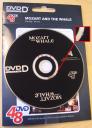
48H DVD)