A quick security tip for you, on your laptop/netbook check your network configuration and remove the check mark under “File & Printer Sharing” for your wireless adapter.

Why!? Well you likely do not share that many files/folders/printers (if as, I suspect, any!?) on your pc while working wirelessly!? Now where do you use your wireless network??, ANYWHERE both on hotels, work and at home and as many vulnerabilities target the ports used by “File and printer sharing” then you are unnecessary exposed. Once disabled you can still access shares on a file server and on other computers, you just cannot share on your own computer (wireless only, it still work for wired network).
Why not do it on all adapters you say (including your wired LAN), well if you are not sharing any files or printers – go ahead it will all improve your security, however if you occasionally share files with co-workers etc. then this may not be ideal to you..
Think about it, how often do you share files or printers with co-workers/friends/family via Wireless network? Rarely right? And when you are at Starbucks or wherever which type of connection do you use? Wireless!! Exactly, and that is why you should at least disable “File and Pritner sharing” for your wireless net card..
PROS; Really raise your security level for exposed environments, no real loss in options, speed or productivity.
CONS; None really, only if you really need “File and Printer sharing” via your wireless adapter (which as I mentioned is fairly unlikely).
Workaround if you DO need File sharing wirelessly;
Yes ofcause you can have your cake and eat it too..
 If you need to share files with friends, coworkers etc, then there is a nifty small freeware utility that may be of interest to you called HFS, its basically a small webserver that you can run on demand (it does not install anything services, autolaunch at start up etc.) . All you need to do is to download it, run it and then drag files you wish to share into it, your coworker, friend or whomever can simply download the file via his/her browser (you can even set password or limit the download speed so they don’t steal all your bandwidth).

 Say you got a brand new advanced MP3 player for Christmas, one of those with a USB interface.. Lets say you wanted to play around with it, but still wanted to be able to return it to how it looked when you got it!? Possible? Why yes indeed 🙂 You can create an image of a usb device (possibly not all types of devices) using –
  As I work in an international company I often have to contact people in different timezones, and its not always easy keeping track of what the time is where.
 If you use the excellent “
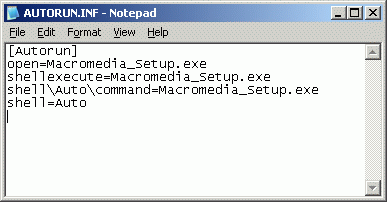 If you have ever had problems with autorun files in Windows (within a corporate environment) here is some good news for you.
 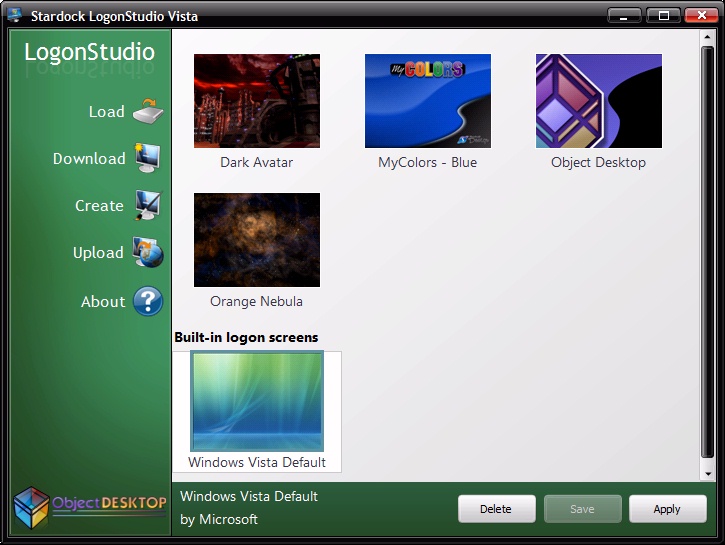 Are you as tired as I of the Aurora logon background every time you logon to Windows Vista, its just so darn depressing.