lockoutIf you are debugging why a particular user always is being locked out with his/her domain account, then you may want to give this tool a spin.  It’s a freebie from Microsoft called “Account Lockout Status“, and what it will do is to let you see some useful info on the users bad password count etc. on all Domain Controllers in the domain.  Useful stuff even if it’s a golden oldie by now 🙂

JSI also has a few lines about it

You can also get a ‘package deal’ called “Account Lockout and Management Tools” from Microsoft that includes some additional utilities, among others an advanced Eventlog filter (can gather from several servers and filter in different ways) and can also be tweaked to display some additional info from AD on each userobject.

There is a good Technet article on it here;
http://technet.microsoft.com/en-us/library/cc738772(WS.10).aspx
This includes how to install and uninstall the debugging DLL’s.

You maybe aware of utilities like ERD (from Microsoft former Winternals, sadly only available to certain Microsoft License holders) that will allow you to change the password for a Windows account, thus effectivelyallowing you access to the data on the pc/server? 

There can be legitimate reasons for this (forgotten passwords etc), but some users may have a more sinister motive…  to gain unauthorized access..  for the latter group utilities like ERO has a drawback, it leave traces behind, when the original user try to logon he can’t as you changed the password..  Now there are ways around this, some other utilities allow you to dump the password database before you change it, then afterwards (once you scored all the data) you can reinject the original password and only a close examination would reveal your traces.

kon-bootBut now there is a new player on the marked, Kon-Boot,this small boot cd will do something very clever indeed, it will allow you to boot into Windows as normally via a CD – and then once asked for the password you can just enter anything – Kon-Boot will simply bypass the password check..  Clever indeed. 

A few problems/concerns though;

  • Is this Kon-Bootsafe (or does it leave something nasty behind like eg a Rootkit), some experienced guys took it upon themselves to check just this and their preliminary findings is that it appear safe enough (no aparant traces left behind).
  • EFS and diskencryption will defeat this, you will not be able to read EFS (Microsoft Encrypted file system) files and diskencryption in general would serve as a protection against booting via a Kon-Boot bypass boot cd/dvd (this may however not apply to all encryption schemes / software brands).
  • Allegedly this bypass is only possible for local machine accounts and not for domain accounts (however if you use a local admin account, then once you are a local admin you will have full access to the entire disk (except EFS) and all data on it, thus this may not be a big deal).

I will have to experiment a bit with this in the near future, it sounds disturbing.
Update; I just tested this on a VM, and it works just as advertised on an XP installation, interesting indeed…

Update 2; I checked this on a domain account, if the user has his profile/password cached (have been logged on previously) you CAN logon locally and access the users data – BUT ofcause no access to network ressources and you will see a warning that your credentials has expired (or something to that effect).  I also tried a locked/disabled account, and here I was unable to logon.

Read this excellent post by Claus Valca on Kon-Boot

And see the YouTube demo on how it works;

threadcompressorIt is always nice to get hold of cool add on’s to applications you use often, especially if they add extra cool functionallity.
This add on to outlook will help you reduce your mailbox size by deleting redundant data (which is always nice as your mailbox just keep growing), I won’t go into details as this blog post explains it nicely.

Visit Grand Stream Dreams for the whole story including how to download and implement it.

The installation of the plugin is done more or less like this (taken from Grand Stream Dreams);

INSTALLING

* Firstly, download the ZIP and save it locally.

* Create a folder you’ll find again – I’d suggest C:\Program Files\Thread Compressor or similar.

* Start a command prompt – WindowsKey-R then
cmd <enter> (though if you’re on Vista or Win7, just press WIndowsKey, type cmd, then right-click on the cmd icon and choose “Run as Administrator”)

In the command prompt, type:

cd c:\program files\thread compressor (or wherever you put the files)

regsvr32 comdlg32.ocx

regsvr32 msflxgrd.ocx

regsvr32 tabctl32.ocx

regsvr32 threadc4.dll

Download the latest CDO file from here, save it somewhere, expand it out and run the install from the ExchangeCDO.msi file.

Now start Outlook: how you actually install the addin will vary depending on your version of Outlook, but try:

Tools | Options | Advanced | Add-ins,

or Tools | Trust Center | Add-ins | [then hit Go to manage COM add-ins]

and add the threadc4dll file manually. If it’s successful, you should see Comrpess Threads on the Tools menu, and you’ll get a splash screen next time you start Outlook
CAUTION!
The default setting for this plugin will delete data in your mailbox (which is the whole point of the plugin), so be sure to understand how it works before implementing it 🙂

I just stumbled across a blog post from Claus Valca  refering to VistaPE, as I could judge this is more or less a replacement for BartPE which has been dead in the water since 2006.

VistaPE should allow you to create a bootable CD/DVD with the Vista kernal (much as BartPE did with the XP kernal), this is useful as a recovery tool/image tool/repair tool/virus cleanup tool etc.  I have previously created antivirus cleanup cd’s using BartPE, but maybe VistaPE could offer better compatibility with the later hardware models.

I will add this to my “I have to look into this list” (which sadly has become quite long)..

doubletwistDoubleTwist will allow you to sync music and video from Itunes to a lot of other devices than Iphone/Ipod (such as PSP, Blackberry, Nokia etc), and whom other than DVD JON to be involved in such an annoyance to Apple.

Download a free beta from the DoubleTwist website.


.

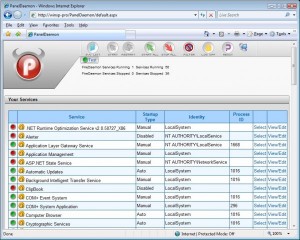
paneldeamonSo you would like an easy approach to delegate service administration for your servers, well that is easily done with PanelDaemon.

You install IIS and then PanelDaemon on your server, now you can create users/groups that can remotely manage services on your server (start, stop and restart etc)..  You can upon user/group creation decide which services a user should be able to manage and thus not necessarily give control to all services.

It’s cool, it works and it’s free 🙂  Just the way we like it..

Get it here

usb-image-toolSay you got a brand new advanced MP3 player for Christmas, one of those with a USB interface..  Lets say you wanted to play around with it, but still wanted to be able to return it to how it looked when you got it!?  Possible?  Why yes indeed 🙂  You can create an image of a usb device (possibly not all types of devices) using – USB Image Tool 

Cool 🙂

Well the name of this software could lead to some confusion, SpyMe?  Now why would I want to Spy myself, there is enough of a hassle with Spyware as it is..

Well this is different, this software is actually ‘your spy’ against other software.  Let’s say you are installing a new piece of software, but actually really would like to know what exactly this software does – what files it installs – what registry changes it does, etc etc etc.  Well this software will, much like the utilities used for making software packages .msi etc, create a before and after snapshot and you can thus see exactly what was done.  As I read it it also offers real time viewing of all activities..

It all sounds nice, and as its FREEWARE you’ll not be ruined 😉

I still would advocate for “Sandbox-IE” as it also offers an undo function, but still – should you just want to keep a short leach on some software installed on your pc this just might be what you are looking for.

http://www.lcibrossolutions.com/spyme_tools.htm

fdmlogoIf you use the excellent “Free downloadmanager” (FDM) you should make sure you have the latest version and patches installed, a serious security bug was discovered on feb 2nd 2009 by Secunia.com

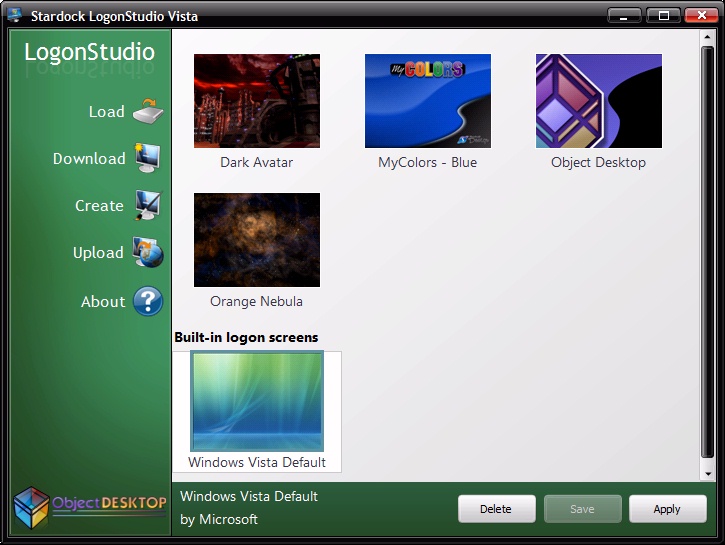
vistalogon123Are you as tired as I of the Aurora logon background every time you logon to Windows Vista, its just so darn depressing.

Well the nice people at Stardock to the rescue with “LogonStudio for Vista”, install and select your new logon background – that’s it clean and simple (is likely to work also on Windows 7).

Get it here;
http://www.download.com/LogonStudio-Vista/3000-2072_4-10696252.html