Various cool software and more

nero9Nero has released a FREE limited version of their popular CD/DVD burner software.

Get it here;
http://www.nero.com/eng/downloads-nero9-free.php

Screenshots here;
http://www.snapfiles.com/screenshots/nerofree.htm

Review here (does not sound too promising);
http://www.snapfiles.com/get/nerofree.html

You may be using Robocopy when copying files, Robocopy is an older Microsoft command line utility (even though a GUI has later been created) that can copy files in a particular robust way (Robocopy actually stands for Robust copy), the trick is that you can specify a lot of parameters eg. copy NTFS rights, mirror a directory structure and much much more.

However I just stumbled over an interesting freeware utility, this utility seem to offer many of the same options plus a bunch of new once..  

Among the the interesting plus features is one I have often sighed “move one at the time”, say you need to move a LARGE directory structure on a server to a new location on the same drive and as a twist you need to inharit NEW ntfs rights (the ntfs rights from the top folder in the new structure) – you could not just use the build in drag and drop move in windows as you would also move the NTFS rights (as its the same drive) (yes of cause you could afterwards change the NTFS rights but that takes a lot of time)…  but now you can set Fastcopy to just move one file at the time.  Sure there were other other ways of doing this, but this however is quite neat..

Other interesting features is speed limiting, less intensive processor usage, verify, filtering and many many more.

If you liked Robocopy and Terracopy you will likely also like Fastcopy.
http://www.ipmsg.org/tools/fastcopy.html.en

fastcopy

Do your PC’s or network contain important confidential data, and are you afraid of data theft by employees?

In that case take a look at this article, it describes how to disable USB mass storage devices (USB pens, disks) on machines complete with GPO/ADM templates and all.

http://diaryproducts.net/about/operating_systems/windows/disable_usb_sticks

Based in part on this article (German);
http://www.gruppenrichtlinien.de/index.html?/HowTo/usb_sticks_deaktivieren.htm

clip_image001Would you like a FREE certificate so you can send signed and encrypted emails?

Well seek no further, here you can get a 100% free certificate so you can start encrypting and signing your mails (note for encrypting your recipients will also need to have a certificate, this is how it is supposed to work)…  But you can sign mails right out of the box.

http://www.comodo.com/home/internet-security/free-email-certificate.php

If you are a sysadmin you have likely experienced that some odd user keep getting his/her Windows Domain Account locked out, there can be numerous reasons for this but while debugging the exact reason the user keep getting locked out and keep calling you every hour or so to be unlocked.

Well I came up with a workaround, you download a simple freeware utility called unlock.exe, and then schedule a batch job to run every 15-30 min that simply unlocks the account.  Now this is not the solution, as you really need to find the cause, but as debugging things like these can take some time and perhaps you have other pressing matters as well – then this is a fair workaround.

The batch file would look something like this;
unlock.exe . username

The unlock command also allow for listing locked accounts, and now I am thinking, maybe I could even set up some surveillance with this, creating a list of locked accounts every morning…  but that’s another story 🙂

http://www.joeware.net/freetools/tools/unlock/index.htm

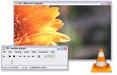
vlcp1You likely already know about VLC player from VideoLan.org?  It is a nifty little player that has several cool features, like; it is free, it has build in codex’es and oh yeah it is free 😉

The really cool thing about VLC is that it come with build in codex’es, this is clever because it is often here mediaplaying go wrong, a user simply does not have the right codex and can not display a mediaclip, many PC users have downloaded a codex pack – however your old aunt Oda have not and cant watch the videoclips you put on your website..  Well VLC deal with this by integrating the codexes, this way you wont have to think about it.

In the past the VLC player had one drawback, it was ugly and un userfriendly, however in the first final (it has been in beta for many years now) version this seem to be fixed..  the player looks nice and is easy to navigate..

Download it here;
http://www.videolan.org/vlc/download-windows.html

Just before I was about to post this I was informed about another player very similar;kmplayer
http://kmplayer.en.softonic.com/ KMPlayer
looks very nice (possibly even a bit better than VLC, so give it a spin also)..

If you are using Forefronturing  Client Security you know that it is not big in the corporate configuration department, much can however be done using GPO’s and general AD management..  Yes I also prefer having these options in a management console, but atlas it is still possible..

Read this article to get the low down.
Every Anti-Virus has a mechanism called tamper protection that helps administrator keep users from mishandling there antivirus settings and services. Forefront Client Security only offers basic control over what the user can or cannot do with the FCS Client Console on his client machine. What the FCS System doesn’t provide is a built-in mechanism to protect FCS services from being stopped or prevent FCS from being removed by the user.

It’s true that some of these are possible to prevent by not giving administrative privileges on the client workstation, but some of us don’t have that luxury.

Windows Group Policy has built-in settings that allow you both protect your services and disable removal by unauthorized users. This is how it’s done.

Protecting Forefront Client Security Services

http://blogs.microsoft.co.il/blogs/yanivf/archive/2009/01/09/temper-protection-in-forefront-client-security.aspx

If you experience problems with Forefront Client Security (or Windows Defender) and likely also the new free Microsoft antivirus, here are some tips for debugging it;

Look for the file called;

MpCmdRun.exe

On Forefront Client Security this is found in;

C:\Program Files\Microsoft Forefront\Client Security\Client\Antimalware

If you go to a command prompt and run this command with a -? you will get a bunch of debugging commands, there are among others restore commands that will reset the configuration of the client etc etc..

One likely useful command to debug performance issues is;

MpCmdRun.exe -trace

However I have been unable to determine how to decode the .bin file created!?  So if you have any suggestions please let me know!?  However if you look in the .log file in the same directory you will get some historic information which may prove useful.  Also, there is still the good old utils from Sysinternals (eg filemon) to assist you.

All very useful..

Here are the switches for Forefront Client Security;

   -Scan [-ScanType]
        0  Default, according to your configuration
        1  Quick scan
        2  Full system scan
   -Trace [-Grouping] [-Level]
        Begins tracing Microsoft Forefront Client Security's actions.
        You can specify the components for which tracing is enabled and
        how much information is recorded.
        If no component is specified, all the components will be logged.
        If no level is specified, the Error, Warning and Informational levels
        will be logged. The data will be stored in the support directory
        as a file having the current timestamp in its name and bearing
        the extension BIN.
        [-Grouping]
        0x1    Service
        0x2    Malware Protection Engine
        0x4    User Interface
        0x8    Real-Time Protection
        0x10   Scheduled actions
        [-Level]
        0x1    Errors
        0x2    Warnings
        0x4    Informational messages
        0x8    Function calls
        0x10   Assertions
   -GetFiles
        Gathers the following log files and packages them together in a
        compressed file in the support directory
        - Any trace files from Microsoft Forefront Client Security
        - The Windows Update history log
        - All FCSAM or FCSAMRtp events from the
          System and Application event log
        - All relevant Microsoft Forefront Client Security registry locations
        - All software information from Software Explorer
   -RemoveDefinitions
        Restores the last set of signature definitions
   -RemoveDefinitions -All
        Rolls the signature definitions back to the default signature set
        and removes any installed signature and engine files.Use this
        option if you have difficulties trying to update signatures.
   -RestoreDefaults
        Resets all configuration options to their default values; this is the
        equivalent of running Microsoft Forefront Client Security setup
        unattended.
   -GetSWE
        Exports the contents of Software Explorer into a file named MPSWE.txt
        in the support directory

light11Every once in a while you tend to come across something really cool, today was such a day..

A while back I added a “Commercials no thank you!” on my mailbox (in Denmark most companies respect these), and what a relief 🙂  earlier I would carry 1-2 plastic bags down to the recycling bin every week filled with commercials, and I actually only read a fraction of these.  On the down side, now the few commercials I actually DID read I have no access to any more 🙁  so it was a bitter sweet victory.

Along with a random browsing for whatever came http://minreklame.dk/ and THIS is smart, someone has actually taken the time to gather electronic versions of the printed commercials and put them on a central site, and furthermore made them search-able.  Clever clever stuff.

Want to keep track of your car, kids, wife or whatever, well there are tons of solutions for this today.  I just read about one called www.inanny.de (www.inanny.dk for Danes), this seem to be quite an organized setup and thus perhaps more reliable than some of the discount solutions on the marked.  So if you are in the marked for some GPS tracking, maybe the www.inanny.desite is worth a visit. I how done no research into pricing (the unit seem cheap enough however ther may be some monthly fee or what not)..